Optimal TV to Sofa Distance: How Far is Right?
The ideal distance from your sofa to the TV is generally recommended to be 1.5 to 2.5 times the diagonal screen size. For example, a 55-inch TV screen should be viewed from about 7 to 11 feet away. This ensures you get the best viewing experience without straining your eyes. It’s all about finding that sweet spot for comfort and clarity.
Getting this distance right is more than just a suggestion; it impacts your visual comfort and how you enjoy your favorite shows or movies. Too close, and you might see pixels or feel overwhelmed. Too far, and you miss the fine details. Many experts agree this range offers a good balance for most home setups, making your viewing sessions more immersive.
- The best TV viewing distance is 1.5 to 2.5 times the screen’s diagonal size.
- For a 55-inch TV, aim for 7 to 11 feet.
- This distance helps prevent eye strain and improves picture clarity.
- It creates a more comfortable and immersive viewing experience.
Let’s walk through how to figure out the perfect distance for your living room and TV setup.
Finding Your Perfect TV Viewing Distance
So, you’ve got a fantastic new TV. Now, where should you plop that sofa? Getting the distance right is key. It’s not just about fitting furniture. It’s about making sure your eyes don’t feel like they’ve run a marathon after a movie. We’ll help you find that sweet spot for the best picture and your comfort.
Understanding the Golden Ratio for TV Distance
You might have heard about a “golden ratio” for TV viewing. Experts have studied this for years. They’ve found a pretty reliable way to figure out the ideal distance. It involves your TV screen size. We’ll break down how to measure this simply.
The 1.5x to 2.5x Rule Explained
The most common recommendation is to place your sofa between 1.5 and 2.5 times the diagonal measurement of your TV screen. This range is widely accepted by many viewing standard organizations (SMPTE). Think of it as a guideline, not a rigid law. It’s a great starting point for most situations.
Let’s say you have a 50-inch TV. Multiply that by 1.5, and you get 75 inches. Multiply it by 2.5, and you get 125 inches. Now, convert those inches to feet. Divide by 12. So, for a 50-inch TV, you’re looking at a distance of about 6.25 to 10.4 feet. That’s your basic range.
Why This Ratio Matters for Your Eyes
Why this specific range? It’s all about your vision. When you’re too close, your eyes have to work overtime. They dart back and forth trying to take in the whole screen. This can lead to **eye strain** and headaches. You might even start seeing the individual pixels, which really takes you out of the movie!
On the flip side, sitting too far away means you miss out on the details. The picture can look a bit soft. You lose that sense of immersion. The actors’ expressions, the subtle background elements – they all become less clear. It’s like watching a play from the very back row versus being in the orchestra.
Considering Your TV’s Resolution: HD vs. 4K
The type of TV you have also plays a role. Older high-definition (HD) TVs have fewer pixels. You might need to sit a bit further back to avoid seeing those pixel structures. However, with modern 4K and 8K TVs, the picture is incredibly sharp. They have **many more pixels**.
4K and Beyond: Getting Closer is Okay!
Because 4K TVs are so sharp, you can actually sit closer than you might with an older HD set. The pixels are tiny. You can get more immersed without seeing the individual dots. Many experts suggest that for 4K, you can lean towards the lower end of that 1.5x to 2.5x rule.
For example, with a 65-inch 4K TV, you could comfortably sit around 5.5 feet away (the 1.5x mark). This puts you right in the middle of the action. The whole screen fills your field of vision more. It makes the viewing experience feel much more **cinematic**.
What About Older HD TVs?
If your TV is still a good old HD model, it’s safer to stick to the middle or slightly further end of the recommended range. You’ll want that extra distance to prevent seeing the pixel grid. Think about the 2.5x mark as a good guideline for HD. This helps maintain a clear and **comfortable picture**.
Room Size and TV Size: The Perfect Pairing
Your living room’s dimensions are a big factor. A massive TV in a tiny room will feel overwhelming. Conversely, a small TV in a huge space can feel lost. You want a balanced setup.
Matching TV Size to Your Space
We’ve talked about screen size and distance. Now let’s connect it to your room. If you have a small apartment or a cozy den, a giant 80-inch TV might not be the best fit. You’d likely have to sit too far away for it to be comfortable, or too close and feel bombarded. Consider a smaller sofa size for a small apartment.
For smaller rooms, consider TVs in the 32- to 50-inch range. These sizes generally work well with the standard distance rules and won’t dominate the space. It’s about finding a TV that feels proportional to your room.
When Bigger is Better (and You Have the Space)
Got a large open-plan living area or a dedicated home theater room? That’s where you can go big! A larger screen, like 65 inches or more, can be fantastic. It fills the space nicely. You can achieve that immersive feeling without straining your eyes, provided you have enough room.
Remember, even with a large TV, you still need to apply the 1.5x to 2.5x rule. If you have a 75-inch TV, you’ll need at least 9.5 feet of viewing distance. More is often better for larger screens, within reason. You want to be able to see the whole screen without moving your head too much.
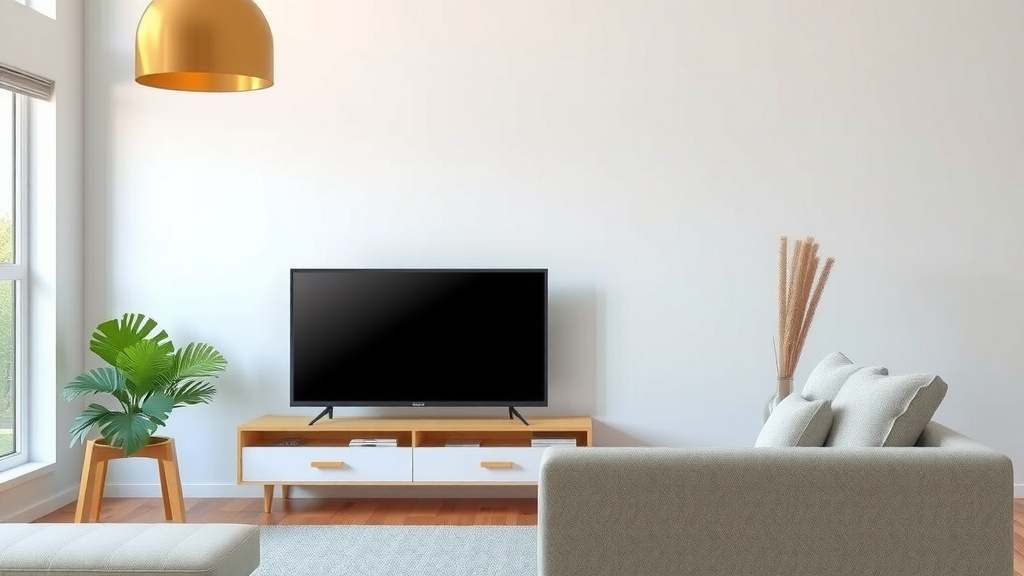
The Practicalities: Measuring Your Setup
You’ve got the rules, but how do you actually measure? It’s simpler than you think. You don’t need fancy equipment.
How to Measure Your TV Screen
First, you need your TV’s diagonal screen size. This is usually listed in the TV’s manual or on the manufacturer’s website. If you can’t find it, grab a measuring tape. Measure from the bottom-left corner of the screen diagonally up to the top-right corner. Make sure you’re measuring the screen itself, not the bezel (the frame around the screen).
Measuring Your Viewing Distance
Next, measure the distance from your TV screen to where your sofa will be. A standard tape measure works perfectly here. Stand at your sofa and measure straight across to the TV. This gives you the actual viewing distance. Compare this number to the calculations you made using the 1.5x and 2.5x rules.
Testing Your Perfect Spot: Does it Feel Right?
The numbers are a guide, but your comfort is the ultimate test. After you’ve calculated your ideal range, try out a few spots. Sit on your sofa and watch something for a bit. Does it feel natural? Can you easily see everything? Do your eyes feel relaxed?
Your Eyes Know Best
Pay attention to how you feel. If you’re constantly turning your head, it’s probably too close. If you’re squinting to read subtitles, it might be too far. Many people find a spot that feels just right for them. It might be slightly outside the strict 1.5x to 2.5x range, and that’s perfectly okay! Your personal **visual comfort** is the most important factor.
Consider Your Field of Vision
Think about how much of your vision the screen takes up. For a truly immersive experience, you want the screen to fill a good portion of your view. However, it shouldn’t be so large that you feel overwhelmed or can’t see the edges without moving your eyes. A common recommendation is for the screen to fill about 30-40 degrees of your horizontal field of view. This is where the 1.5x to 2.5x rule usually lands you.
A Quick Checklist for Your Setup
Ready to set things up? Here’s a quick rundown to help you nail the perfect distance:
- Measure your TV’s diagonal screen size accurately.
- Calculate your ideal range: Screen size x 1.5 and Screen size x 2.5.
- Measure the distance from your sofa to the TV.
- See if your current distance falls within the calculated range.
- Sit and watch for a while. Does it feel comfortable?
- Adjust slightly until it feels just right for your eyes.
Conclusion
Finding the right TV viewing distance is all about balancing comfort and clarity for your eyes. You’ve learned how to use the 1.5x to 2.5x rule, considering your TV’s resolution like 4K for closer viewing. Remember to match your TV size to your room size for a harmonious setup. Ultimately, your personal comfort is the best guide. So, measure your space, do the quick math, and then trust your eyes to find that perfect sweet spot. You’re now ready to set up your couch for the ultimate viewing pleasure!
Frequently Asked Questions
How do I know if my TV is too close or too far?
If you find yourself constantly moving your head to see the whole screen or feeling eye strain after watching, your TV is likely too close. If you’re squinting to see details or read subtitles, it’s probably too far away. Your personal comfort level is the best indicator.
Does the type of sofa matter for TV distance?
The type of sofa itself doesn’t directly affect the optimal distance. What matters is the distance from your seating position on the sofa to the TV screen. Ensure your chosen spot on the sofa allows you to achieve the recommended viewing distance for your screen size.
Can I sit closer to a large TV if it’s a high-end model?
Yes, with modern high-resolution TVs like 4K and 8K, you can generally sit closer. These screens have incredibly sharp images with tiny pixels, so you can enjoy a more immersive, cinematic feel without seeing the pixel grid. Aim for the lower end of the 1.5x to 2.5x rule for these TVs.
What if my room is small? Can I still get a good viewing experience?
Absolutely! For smaller rooms, it’s best to choose a proportionally sized TV, typically between 32 to 50 inches. This allows you to maintain the recommended viewing distance without the TV dominating the space, ensuring a comfortable and clear picture.
Is the 1.5x to 2.5x rule for all types of TVs and content?
This rule is a great starting point for most situations and TV types. However, for older HD TVs, you might prefer being slightly further back, closer to the 2.5x mark, to avoid seeing pixel structure. For 4K and beyond, leaning towards the 1.5x mark offers more immersion.

![10 Best Compact Sofa [2026]](https://hometopaccesories.com/wp-content/uploads/2026/09/10-best-compact-sofa-2026-featured-768x432.jpg)