How Far Away Should a Sofa Be From the TV?
To find the ideal viewing distance for your sofa from the TV, multiply the screen’s diagonal size by 1.5 to 2.5. For example, a 55-inch TV works well with a sofa placed between 82.5 and 137.5 inches away. This range ensures you get a clear picture without straining your eyes. It’s a simple guideline to make your movie nights much more comfortable.
Getting this distance right can truly transform your viewing experience. Too close, and you might see pixels or feel overwhelmed. Too far, and you could miss important details or find yourself leaning forward. Experts often recommend this general rule as a starting point. You can then adjust slightly based on your personal preference and room layout.
TL;DR:
- Measure your TV screen diagonally.
- Multiply that number by 1.5 for the minimum distance.
- Multiply it by 2.5 for the maximum distance.
- Aim for a distance within that calculated range.
- Adjust based on your room and comfort.
Let’s dive into why this measurement matters so much and how you can find the perfect spot for your sofa.
Finding the Right Sofa-to-TV Distance for Your Home
So, you’ve got a new TV or you’re rearranging your living room. Now you’re wondering, “Just how far should my sofa be from the TV?” It’s a common question, and getting it right makes a huge difference. You want to feel immersed, not strained. Let’s figure out the sweet spot for your setup.
The basic idea is to match the distance to your TV’s size. Think of it like choosing the right seats at the movie theater. You don’t want to be so close you’re craning your neck, and you don’t want to be so far you’re squinting. This guide will help you nail that perfect viewing distance.
Understanding the Recommended Viewing Range
Experts often suggest a viewing range based on your TV’s screen size. This range ensures you get a clear, comfortable picture. It helps avoid eye strain and makes sure you don’t miss any details on screen.
The Simple Math: Diagonal Screen Size is Key
The easiest way to start is by looking at your TV’s diagonal screen measurement. This is the number you see in inches when you buy a TV, like 55 inches or 65 inches. You’ll use this number as your starting point.
Minimum Distance: Get Close, But Not Too Close
For the closest comfortable viewing distance, many guidelines suggest multiplying the diagonal screen size by 1.5. So, if you have a 55-inch TV, your minimum distance would be 55 inches * 1.5 = 82.5 inches. This is about 6.8 feet. This distance is good for getting really immersed in the picture.
Maximum Distance: Keeping It Clear and Comfortable
To find the furthest you should sit, multiply the diagonal screen size by 2.5. For that same 55-inch TV, the maximum distance would be 55 inches * 2.5 = 137.5 inches. This is about 11.4 feet. Sitting at this distance helps ensure you see the whole picture without straining your eyes.
Why This Range Matters for Your Eyes
Sticking within this range is really about eye comfort and picture quality. When you’re too close, your eyes have to work harder to take in the whole screen. You might even start to see the individual pixels, which breaks the illusion of the picture (The American Optometric Association).
On the flip side, if you’re too far away, the image can appear small. You might miss fine details or have to lean forward to catch dialogue. This can lead to neck strain and a less enjoyable experience. Finding that middle ground is key for optimal viewing.
Factors That Can Influence Your Ideal Distance
While the 1.5x to 2.5x rule is a great starting point, it’s not the only thing to consider. Your personal preferences and the layout of your room play a big role too. Think of these as helpful adjustments to the basic guideline.
Your Personal Comfort Level
Some people like to feel like they’re right in the middle of the action. Others prefer a more relaxed, wider view. If you have sensitive eyes, you might find sitting a little further back more comfortable, even if the math suggests you can sit closer. Pay attention to how your eyes feel. Are you squinting? Are you getting headaches after a movie? Your comfort is a primary guide.
The TV’s Resolution: 4K Changes Things
This is an interesting point. For TVs with 4K resolution, you can often sit a bit closer than you might with older HD TVs. This is because 4K has so many more pixels packed into the screen. They are so small that you can’t see them even when you’re quite close (Consumer Reports).
This means you can get a more immersive experience with 4K without seeing those distracting pixel lines. For a 55-inch 4K TV, you might feel perfectly comfortable sitting closer than 82.5 inches. It’s worth experimenting a little within the recommended range.
Room Layout and Furniture Placement
The size and shape of your room are also very important. You might have the perfect distance calculated, but if it puts your sofa in the middle of a doorway or blocks a walkway, it’s just not practical. You have to work with the space you have.
Consider where other furniture is. You want a setup where people can walk around freely. If your room is long and narrow, you might naturally end up further away. If it’s more square, you might be closer. The goal is to create a functional and inviting space.
The Purpose of the Room
Is your living room mainly for watching movies? Or is it a multi-purpose space used for entertaining, reading, and playing games? If movie watching is the primary focus, you might optimize for that perfect viewing distance.
However, if the TV is just one element in a busy room, you might need to find a compromise. Maybe the sofa isn’t directly facing the TV, or perhaps it’s at the edge of the ideal viewing cone. You’ll want to ensure that the distance works for most activities.
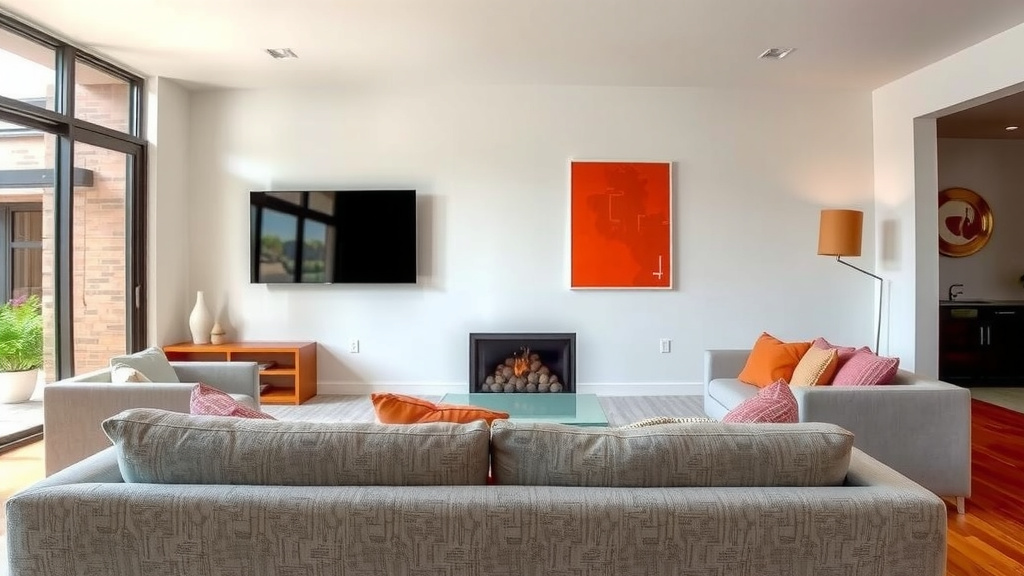
Putting It All Together: Your Viewing Distance Checklist
Ready to find your perfect spot? Here’s a quick rundown to help you get it right:
- Measure your TV screen diagonally in inches.
- Multiply that number by 1.5 for your minimum recommended distance.
- Multiply that number by 2.5 for your maximum recommended distance.
- Place your sofa within that range as a starting point.
- Consider your room’s layout and traffic flow.
- Most importantly, test it out and adjust for your personal comfort.
Don’t be afraid to move your sofa a little forward or back. Sit down, watch something you enjoy, and see how it feels. You might find that a spot slightly outside the strict mathematical range actually feels best for you. Happy viewing!
Conclusion
Finding the perfect sofa-to-TV distance is all about balancing immersion with comfort. Remember the simple math: multiply your TV’s diagonal screen size by 1.5 for the closest comfortable spot and by 2.5 for the furthest. This range is your starting point.
But don’t forget to adjust for your personal preference, room layout, and your TV’s resolution. Your eyes and your comfort are the ultimate guides. So, go ahead and experiment a little! Move that sofa back or forth until it feels just right for your best viewing experience.
Frequently Asked Questions
What if my living room is small?
If your room is small, you might naturally find yourself closer to the TV. Focus on the lower end of the recommended range (1.5x the diagonal) but prioritize comfort. You can still enjoy your TV without eye strain by ensuring the picture fills your view without being overwhelming.
Is the 1.5x to 2.5x rule different for curved TVs?
For curved TVs, the recommended distance is generally the same. The curve is designed to enhance immersion from a standard viewing distance. You might find you prefer to be slightly closer to fully appreciate the wrap-around effect, but the core guideline still applies.
Can I sit closer to a 4K TV than an older HD TV?
Yes, with 4K TVs, you often can sit closer. The higher pixel density means you won’t see individual pixels as easily. This allows for a more immersive experience without the pixelation issues that could arise on older HD screens at the same distance.
How do I measure my TV’s diagonal screen size?
To measure your TV’s diagonal screen size, simply use a tape measure. Start at one corner of the screen and stretch the tape measure diagonally across to the opposite corner. Do not include the TV’s bezel or frame in your measurement.
What if my ideal distance puts the sofa in a walkway?
In this case, functionality has to come first. You’ll need to compromise. Place the sofa in the most convenient spot that doesn’t block traffic. Then, adjust your viewing distance as much as possible within that constraint to maintain the best comfort and picture clarity.
![10 Best Chesterfield Sofa Bed [2026]](https://hometopaccesories.com/wp-content/uploads/2026/09/10-best-chesterfield-sofa-bed-2026-featured-768x432.jpg)
![10 Inch Sofa [2026]](https://hometopaccesories.com/wp-content/uploads/2026/08/10-inch-sofa-2026-featured-1-768x432.jpg)

![10 Best Affordable Reclining Sofa [2026]](https://hometopaccesories.com/wp-content/uploads/2026/08/10-best-affordable-reclining-sofa-2026-featured-768x432.jpg)