How Far Should the Sofa Be From the TV? Guide
For the best viewing experience, your sofa should be positioned at a distance that’s about 1.5 to 2.5 times the diagonal measurement of your TV screen. Getting this sofa-to-TV distance right means you can see all the details without straining your eyes. It’s all about finding that sweet spot for comfortable viewing.
It’s a common question many of us have when setting up a living room. Too close, and you might miss the big picture or feel like you’re in the front row of a movie theater. Too far, and tiny text can become a blurry mess. We found that the right distance balances both immersion and eye comfort, making your favorite shows much more enjoyable.
- Measure your TV screen diagonally.
- Multiply that number by 1.5 for the minimum distance.
- Multiply by 2.5 for the maximum recommended distance.
- Consider your room size and layout too.
Let’s walk through exactly how to figure out the perfect spot for your sofa, so you can stop squinting and start relaxing.
“`htmlFinding Your Perfect Sofa-to-TV Viewing Distance
So, you’re wondering how far your sofa should be from the TV? It’s a question that pops up for most of us when arranging our living spaces. Getting this distance right can transform your viewing experience from okay to absolutely fantastic. We found that it’s not just about cramming furniture into a room; it’s about creating a comfortable and immersive environment for enjoying your favorite shows and movies.
The sweet spot for sofa-to-TV distance is all about balancing immersion with eye comfort. Too close, and you might feel overwhelmed, like you’re sitting too close to the screen in a movie theater. Too far, and you’ll miss out on details and might end up squinting to read subtitles. We found that a general guideline helps many people find that perfect middle ground.
Understanding the Science: Why Distance Matters
The recommended distance isn’t arbitrary. It’s based on human vision and how our eyes perceive images at different ranges. When the distance is just right, your eyes can take in the entire screen without needing to move excessively. This helps reduce eye strain and fatigue, making longer viewing sessions much more pleasant. Experts at the American Optometric Association suggest that proper viewing distance is key for preventing headaches and dry eyes.
The Role of Screen Size and Resolution
Screen size is the biggest factor in determining the ideal viewing distance. A larger TV will naturally require you to sit further back to take it all in comfortably. Conversely, a smaller TV can be viewed from a closer distance. We found that this relationship is fairly linear.
Resolution also plays a part, though it’s less impactful than screen size for typical viewing distances. High-definition (HD) and 4K TVs have more pixels packed into the screen. This means you can sit closer to a higher-resolution TV than an older standard-definition one before you start seeing individual pixels. For a 4K TV, research suggests you can sit about 1 to 1.5 times the screen’s diagonal measurement away and still enjoy the detail.
Field of View: Getting Immersed
Have you ever thought about how much of your vision the screen should occupy? This is called the “field of view.” For a truly cinematic experience, many suggest aiming for a field of view between 30 and 40 degrees. This is where the screen feels immersive without being so large that you have to constantly move your head to see everything. It’s like being drawn into the picture.
We found that achieving this perfect field of view often involves a bit of trial and error. However, starting with the general distance guidelines can put you in the right ballpark. It’s about finding that perfect balance where the TV feels present but not overwhelming.
Calculating Your Ideal Viewing Distance
Let’s get practical. The easiest way to figure out your sofa’s ideal spot is by using your TV’s dimensions. You’ll need a tape measure for this. Don’t worry, it’s much simpler than assembling furniture!
Step 1: Measure Your TV’s Diagonal
Grab that tape measure and measure from one corner of your TV screen to the opposite corner. Be sure to measure the screen itself, not the frame or bezel around it. This diagonal measurement is the key number you’ll use.
Step 2: Apply the Multiplier Rule
Once you have your TV’s diagonal measurement, you’ll use a simple multiplier. Experts often recommend multiplying the diagonal measurement by a factor between 1.5 and 2.5. This gives you a range, offering flexibility based on your personal preference and room layout.
- Minimum Distance: Diagonal Measurement x 1.5
- Maximum Distance: Diagonal Measurement x 2.5
For example, if your TV has a 50-inch diagonal screen:
- Minimum Distance: 50 inches x 1.5 = 75 inches (or 6.25 feet)
- Maximum Distance: 50 inches x 2.5 = 125 inches (or 10.4 feet)
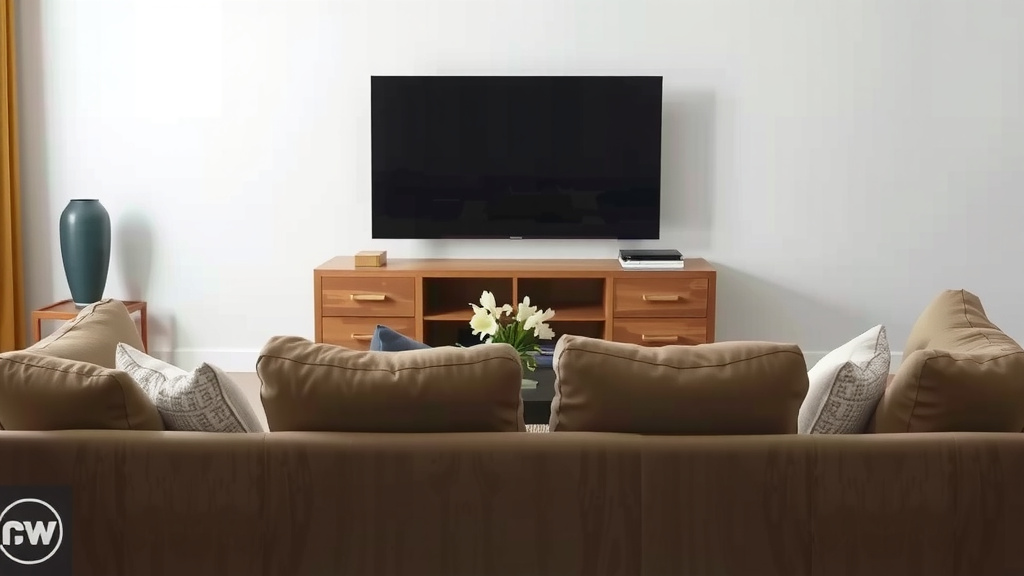
This means your sofa should ideally be placed between 6.25 and 10.4 feet away from the TV for optimal viewing. We found this range accommodates most preferences and room sizes.
Factors Beyond Simple Measurement
While the 1.5x to 2.5x rule is a fantastic starting point, your room’s specific characteristics can influence the final placement. It’s not a one-size-fits-all situation, and your comfort is the ultimate goal.
Room Size and Layout Constraints
Your living room’s dimensions are a major consideration. If you have a long, narrow room, placing your sofa at the maximum recommended distance might mean it’s floating in the middle of the floor, which isn’t practical. Conversely, a small, cozy room might not have space for the sofa to be placed far enough back.
We found that sometimes you have to compromise. If your room is small, you might need to sit a bit closer than the ideal maximum. In this case, consider a TV with a higher resolution (like 4K) to minimize pixel visibility. If your room is huge, you might be able to sit at the farther end of the range for a more theater-like feel.
Furniture Arrangement and Traffic Flow
Think about how you use your living room. You need to be able to walk around comfortably without bumping into furniture. Your sofa placement shouldn’t obstruct doorways or create awkward pathways. We found that balancing viewing distance with practical furniture arrangement is key to a functional space.
Consider other furniture, too. If you have accent chairs or a coffee table, where will they fit? You want your viewing area to feel cohesive and inviting, not cramped or cluttered. Sometimes, adjusting the sofa’s position slightly can make a big difference in overall room flow.
Personal Preference and Eye Strain
Ultimately, your eyes are the best judges. What feels comfortable to one person might feel too close or too far for another. Some people prefer a more immersive, close-up experience, while others like to lean back and have a broader view.
We recommend testing out different distances. Move your sofa back and forth a few inches at a time. Watch a show, read something on screen, and pay attention to how your eyes feel. If you’re experiencing headaches, eye strain, or neck discomfort, it’s a sign that your viewing distance might need adjustment. Many experts suggest that if you can easily see the whole screen without straining your neck, you’re likely in a good spot.
A Quick Checklist for Perfect Placement
Ready to find that ideal spot? Here’s a simple checklist to guide you:
- Measure your TV screen diagonally.
- Calculate your ideal range using the 1.5x and 2.5x multipliers.
- Place your sofa within that calculated range as a starting point.
- Consider your room’s size and shape.
- Ensure comfortable traffic flow around the sofa.
- Test the distance by watching content and noting eye comfort.
Conclusion
You’ve got the tools to find your sofa’s perfect spot! Remember, the ideal distance is a blend of science and your personal comfort. By measuring your TV and using the 1.5x to 2.5x multiplier, you establish a great starting range. Then, consider your room’s layout and how you use the space. Don’t be afraid to adjust slightly based on what feels right for your eyes. Your ultimate goal is a viewing experience that’s immersive, comfortable, and free from eye strain. Now, go ahead and test out your new sweet spot!
Frequently Asked Questions
What if my room is very small?
If your room is small, you might need to sit closer than the maximum recommended distance. In this case, a TV with higher resolution, like a 4K model, can help. Higher resolution means you’re less likely to see individual pixels when you’re closer.
Does the type of content I watch matter?
Yes, it can slightly influence your preference. For intense action movies, a slightly closer distance can boost immersion. For shows with a lot of dialogue or fine text, you might prefer sitting a bit further back. It’s all about what you find most comfortable for different viewing experiences.
How do I know if my eyes are straining?
Watch for signs like headaches, dry or watery eyes, or neck pain after watching TV. If you notice these issues, your viewing distance is likely too close or too far. Try adjusting your sofa position in small increments and see if that helps.
Can I use my TV’s screen size recommendation?
Many TV manufacturers provide recommended viewing distances based on screen size and resolution. These are good starting points, often aligning with the general rules we’ve discussed. Your personal comfort and room specifics are still the final deciding factors, though.
What if my sofa is fixed and can’t be moved easily?
If moving the sofa isn’t an option, you can adjust your viewing experience in other ways. Consider using thicker throw pillows to sit slightly higher or further back. You could also explore options like a media console that can be adjusted. Sometimes, creative solutions can help bridge the gap.
“`![10 Way Hand Tied Sofa [2026]](https://hometopaccesories.com/wp-content/uploads/2026/08/10-way-hand-tied-sofa-2026-featured-768x432.jpg)
![10 Best Compact Sofa [2026]](https://hometopaccesories.com/wp-content/uploads/2026/09/10-best-compact-sofa-2026-featured-768x432.jpg)

![10 Best Brand Of Sofa To Buy [2026]](https://hometopaccesories.com/wp-content/uploads/2026/08/10-best-brand-of-sofa-to-buy-2026-featured-768x432.jpg)