How Far Should a Sofa Be From the TV?
To find the ideal viewing distance for your sofa, aim for 1.5 to 2.5 times the diagonal screen size. This sweet spot balances immersion with comfort, so you won’t be straining your eyes or missing any action. For a 55-inch TV, that means placing your sofa between 6.8 and 11.4 feet away. Getting this distance right means better picture clarity and less eye fatigue.
The exact placement of your sofa relative to your TV isn’t just about aesthetics. It directly impacts your viewing experience and overall comfort. Many factors, including room size and TV resolution, play a role in this decision. We’ve looked at various recommendations to help you find that perfect couch-to-screen balance for your home.
- Aim for a distance 1.5 to 2.5 times your TV’s diagonal screen size.
- Consider your TV’s resolution (4K allows closer viewing).
- Ensure a comfortable viewing angle, not too high or too low.
- Measure your room to pick the best sofa spot.
Let’s walk through exactly how to determine the best spot for your sofa so you can enjoy movie nights to the fullest.
“`htmlFinding Your Sofa’s Perfect Viewing Distance
So, you’ve got your comfy sofa and your dazzling new TV. Now comes the million-dollar question: where do you put that couch? It’s not just about making the room look good. The right distance can make or break your entire movie-watching experience. Let’s figure out that sweet spot together.
The Science Behind Sofa Placement
Experts and eye doctors have weighed in on this. They offer guidance to help you avoid common viewing pitfalls. The goal is comfort and clarity for your eyes. We want you to enjoy your shows without a headache.
Understanding Viewing Distance Formulas
You’ve probably heard rules of thumb. Many involve a simple calculation. It’s based on your TV’s screen size. This gives you a solid starting point. We found that most recommendations revolve around a ratio. It connects screen size to your seating distance.
The 1.5x to 2.5x Rule of Thumb
This is the most common advice you’ll see. You take the diagonal measurement of your TV screen. Then, you multiply that number by 1.5 for the minimum distance. Multiply it by 2.5 for the maximum distance. Let’s say you have a 65-inch TV. The minimum distance would be 97.5 inches (about 8 feet). The maximum distance would be 162.5 inches (about 13.5 feet).
This range ensures you’re not too close. You won’t feel like you’re in the front row of a movie theater. It also means you’re not too far away. You won’t need to squint to see the action. This formula works well for standard HD or 4K TVs.
How Resolution Impacts Distance
Your TV’s resolution plays a bigger role than you might think. Higher resolutions mean more pixels packed into the screen. This makes the picture sharper and clearer. With 4K TVs, you can actually sit a bit closer. The pixels become virtually indistinguishable. This allows for a more immersive experience. Think about sitting closer to a 4K TV than you would a standard HD one.
For an 8K TV, you can get even closer. The picture is incredibly detailed. However, most people are still using 4K. For 4K, the 1.5x to 2.5x rule still generally applies. Some suggest even a 1x to 1.5x multiplier for 4K. This is for those who really want that cinematic feel. Always check your personal comfort level.
Factors Beyond Screen Size
While screen size is key, other things matter too. Your room’s dimensions are a big one. A tiny apartment has different needs than a sprawling living room. Don’t forget about your own eyesight and preferences. What feels right for one person might not for another.
Room Size and Layout
A tiny room might force you to sit closer than ideal. In this case, a smaller TV might be a better choice. Or you might have to accept a slightly less-than-perfect viewing distance. Measure your usable wall space. See how much room you have for a sofa. Consider where doors and windows are placed. These can limit your options.
Conversely, a huge room might tempt you to push the sofa way back. This can make the picture seem small. It can also lead to a less engaging experience. You want to feel connected to the screen. You don’t want it to feel like a postage stamp. Think about creating zones in a large room. You can have a dedicated TV viewing area.
Personal Comfort and Eye Strain
We found that personal comfort is king. Some people have sensitive eyes. They might prefer to sit a bit farther back. Others enjoy feeling “in” the action. They might lean towards the closer end of the recommended range. There’s no single right answer for everyone.
Try it out! If possible, set up your TV temporarily. Move your sofa back and forth. See what feels most comfortable for extended viewing sessions. Pay attention to whether your eyes feel strained. Do you need to turn your head a lot to see the whole screen? These are clues that your distance might be off. We want you to avoid that post-movie headache.
Practical Steps for Placement
Let’s get down to business. How do you actually measure and place your sofa? It’s easier than you think. A tape measure is your best friend here. Planning ahead saves you from moving heavy furniture later.
Measuring Your TV Screen
First, you need your TV’s diagonal screen size. This is usually listed in inches. It’s the measurement from one corner to the opposite corner. Most people know this offhand. If not, check your TV’s manual or the manufacturer’s website. You can also measure it yourself. Lay a tape measure diagonally across the screen. Make sure to only measure the screen itself, not the bezel (the frame around it).
Calculating Your Ideal Distance Range
Once you have the diagonal measurement, do the math. Multiply that number by 1.5. This is your minimum distance. Then, multiply it by 2.5. This is your maximum distance. Remember, these are guidelines. Think of them as a starting point.
Example: For a 50-inch TV:
Minimum distance: 50 inches * 1.5 = 75 inches (6.25 feet)
Maximum distance: 50 inches * 2.5 = 125 inches (10.4 feet)
So, for a 50-inch TV, aim for a spot between roughly 6 and 10.5 feet away.
Marking and Testing Your Spot
Use painter’s tape or a string to mark the floor. Place your sofa roughly in the calculated range. Then, sit on the sofa. Does it feel right? Can you see the whole screen without moving your eyes too much? Try watching a few minutes of a show or movie. See if you feel any strain after a while.
The Viewing Angle Matters Too
Beyond distance, consider the height and angle. Your eyes should be roughly level with the center of the screen. If the TV is too high, you might strain your neck. If it’s too low, you might feel like you’re looking down. We found that a slight tilt is okay, but avoid extreme angles.
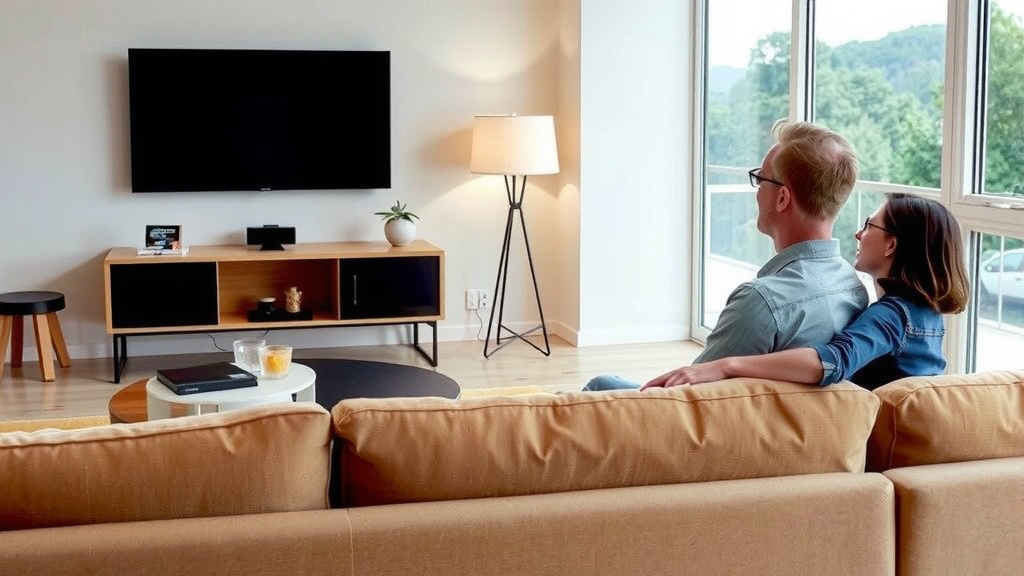
Sofa Size vs. Viewing Distance
The size of your sofa also plays a role. A massive sectional will take up more space. It might naturally push you closer to the TV. A small loveseat might allow for more flexibility. You need to balance the sofa’s footprint with the ideal viewing distance. Sometimes, you have to compromise a little.
Matching Sofa to Room and TV
For smaller rooms, a smaller sofa is often best. This frees up floor space. It also helps maintain that optimal viewing distance. In larger rooms, you can accommodate a bigger sofa. But don’t let it dictate your TV placement. Your TV viewing experience should be the priority.
Creating a Balanced Space
Think about the overall flow of your room. Can you walk around the sofa easily? Does it feel cramped? Sometimes, a slightly longer viewing distance is acceptable if it means a more functional and comfortable room layout. It’s a balancing act.
Quick Checklist for Perfect Placement
Let’s summarize the key steps:
- Measure your TV’s diagonal screen size.
- Calculate your distance range (multiply by 1.5 and 2.5).
- Consider your room’s dimensions.
- Think about your TV’s resolution (4K allows closer viewing).
- Test the spot for comfort and eye strain.
- Ensure a good viewing angle (eye level with the center).
Conclusion
You’ve got the formula now! Finding the perfect sofa distance from your TV isn’t just about numbers; it’s about creating your ideal viewing comfort. Remember the 1.5x to 2.5x screen size rule as your starting point. But always trust your eyes and how your space feels. A slightly adjusted distance can make a big difference in avoiding eye strain and truly enjoying your favorite shows. Measure your screen, do the quick math, and then test it out in your own living room. Your most comfortable movie night is just a few steps away.
Frequently Asked Questions
What if my room is really small?
In a small room, you might need to sit closer than the 1.5x rule suggests. If your TV is 4K, this is often fine as the picture remains clear. Prioritize a comfortable viewing angle and ensure you’re not craning your neck. Sometimes, a smaller TV might be a better fit for very compact spaces.
Can I sit closer to a 4K TV?
Yes, you absolutely can sit closer to a 4K TV than you might an older HD model. The higher pixel density means you won’t see individual pixels, which allows for a more immersive experience. Many people find a distance of 1x to 1.5x the screen size works well for 4K.
Does the height of the TV matter?
Yes, viewing height is just as important as distance. Ideally, your eyes should be level with the center of the screen when you’re seated. Mounting the TV too high can cause neck strain, while too low can be uncomfortable for taller individuals.
What if my family disagrees on the perfect distance?
This is common! The best approach is often a compromise. Try to find a distance that falls within everyone’s comfort zone, perhaps closer to the middle of the recommended range. You can also experiment with adjustable TV mounts or stands to fine-tune the height and angle for different viewers.
How do I measure my TV’s diagonal screen size correctly?
To measure your TV’s diagonal screen size, only measure the screen itself, not the frame or bezel around it. Lay a tape measure from one corner of the screen to the opposite corner. This measurement is usually in inches and will give you the number needed for distance calculations.
![10 Best Convertible Sofas For Small Spaces [2026]](https://hometopaccesories.com/wp-content/uploads/2026/09/10-best-convertible-sofas-for-small-spaces-2026-featured-768x432.jpg)